Why accessibility audits matter more than ever

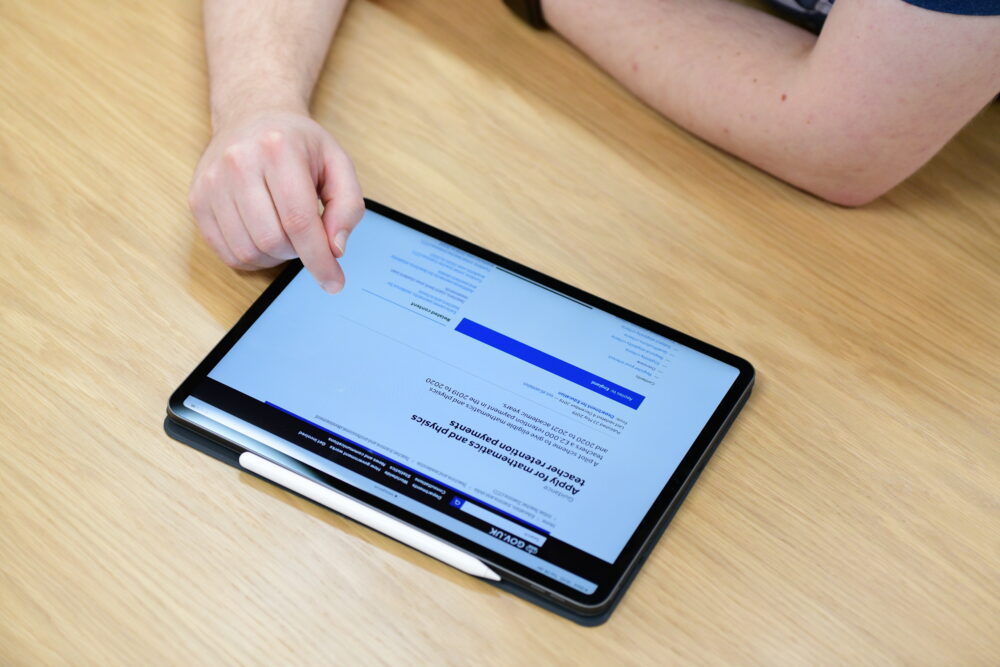
Accessibility standards can form a baseline for a better, more inclusive web, for everyone
Website accessibility is no longer a nice-to-have. In the last year or so, we’ve seen an increase in requests for accessibility audits, and the remediation work that follows them. This uptick has been driven largely by the requirement to keep up-to-date with the latest guidelines, specifically the latest v2.2 update to the Web Content Accessibility Guidelines (WCAG) which was released in October 2023.
The shift is more than the mundane-sounding need to meet standards in an environment of greater scrutiny, or a few extra boxes to add to the checklist. There’s now an acknowledgement that accessibility standards can form a baseline for a better, more inclusive web, not just for people with long-term impairments, but for everyone. Along these lines, accessibility is always front of mind in everything we do.
A rise in demand
With the release of WCAG 2.2, more organisations are approaching us for accessibility audits, even those who completed one quite recently. Our GovPress team carries these out with new and existing clients. We also often audit new website builds before launch, paying close attention to elements of the user interface and content.
How an accessibility audit works
We audit a sample of pages on a website, choosing those based on how critical they are for the website visitors. This is usually the homepage, search results, contact and archive pages, and pages that include interactive UI elements, like accordions, expanding panels, maps, forms and navigation.
When we have scoped out the pages to test, we use a two-part process combining automation with human expertise.
1. Automated testing
The first step uses automated web browser tools, predominantly Axe by deque, among others, to scan web pages and identify common accessibility violations. These tools are powerful and efficient, surfacing a large number of potential problems quickly. However they sometimes miss things or report false positives, requiring manual verification.
The automated testing surfaces issues like:
- Missing h1 headings
- Missing alt-text on images (although there’s nuance to what does and doesn’t require alt-text, which the automated tools don’t always pick up on)
- Missing or incorrect use of ARIA tags
- Missing or incorrect use of HTML landmarks
2. Manual testing
Often the things which are more important to surface can’t be picked up by an automated tool, as they relate to the human experience of visiting a website. That’s where manual testing comes in.
This part is about experiencing the site as closely as possible from the perspective of a visitor with disabilities, ensuring we can fully navigate the site, and access all content without the physical touch-points we usually use. For example, exclusively using the keyboard or a screen reader, without use of the mouse, or view of the screen respectively.
As the WCAG guidelines place a lot of focus on users with motor and cognitive impairments, manual testing is also very much about making sure interactions don’t result in things like loss of context and confusion, potentially caused by elements reflowing or responding to interactions unexpectedly.
These steps make sure the site works for users with different needs—not just in theory, but in practice.
Some of the most common pitfalls and challenges
Clients are sometimes tied to brand colour palettes which don’t meet the required colour contrast ratio thresholds between the foreground text (or graphic elements) and background. Sometimes concessions need to be made by the brand guardians to make sure those thresholds are met.
A website is often only as accessible as the content editors make it. Which is why we encourage our clients to not forget to add alternative text for images and a logical heading structure on pages. This is something that is often overlooked, especially when quite large editorial teams are involved.
Ensuring accessible text alternatives are present on various types of media is often the biggest challenge. Text-dense images like graphs, charts and timelines represented in accessible formats are important but can be hard to do. Audio recordings need to have text transcripts and videos need to have captions.
Accessibility improves everything
1 in 5 people in the UK report long-term impairments that affect their ability to do everyday tasks. The need to make the web accessible to people with these specific impairments has been widely acknowledged, particularly in the public sector. But the misconception that web accessibility only benefits people with these specific impairments has, unfortunately, endured. In reality there’s a wide and diverse range of user needs that should be catered to. Here are just a few ways we can make websites more accessible for everyone:
- Ensuring websites are fully navigable by keyboard helps people who favour using the keyboard instead of the mouse. In many scenarios it might not be practical to use a mouse. Or a person might have a temporary injury or impairment that prevents them from using a mouse.
- Adding captions to videos allows people to consume content in noisy environments without the need to use headphones they might not have access to, or be able to use.
- Designing interfaces that prioritise the user helps people find the information they need, or the transactions they need to make if they are low on time, under stress or dealing with a difficult situation.
There are many knock-on effects from thinking about accessibility early on, which aren’t directly related to human interactions.
- Thoughtful design that prioritises accessibility leads to cleaner, more intuitive interfaces and often puts a pause on ambitious over-engineered UI.
- It encourages more focus on semantic meaning of elements of a web page, for example the use of landmarks and roles which have benefits for SEO, AI understanding and interoperability with external API’s and services.
The case for web accessibility is clear. What is also clear is that it’s not just about formal compliance — it’s about building better websites for everyone. With guidelines continuing to evolve, accessibility auditing and remediation is no longer a box to tick every few years, but an ongoing opportunity to improve your website or interface in ways that pay dividends for everyone involved.